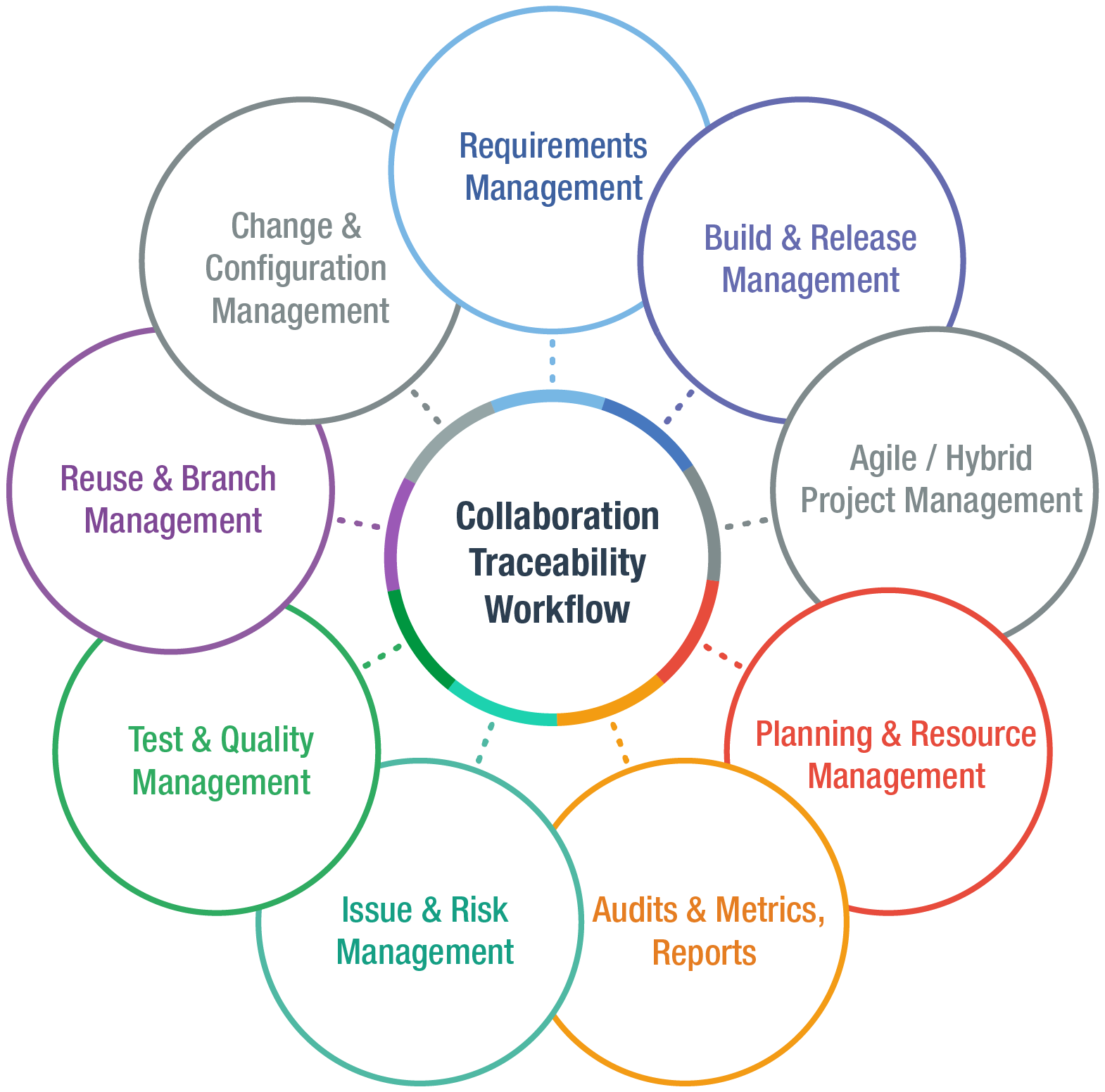
Everything You Need in One Single ALM Solution
- 100% Web based to Manage all phases of the Application Lifecycle
- Full traceability from initial requirements to source code to production
- Support any process or methodology (Agile, Waterfall, regulatory, hybrid)
- Accelerate adoption, cut training & IT Admin costs


Traceability & Versioning
Understand the "Who, What, When and Why" of any changes

Online Authoring
with "LiveDocs"™
Imported documents still look and edit like documents

Any Workflow or Methodology
Flexible, customizable workflows easily adapt to your systems and methods

Collaborate anytime, anywhere
Discussions, wikis, polling, subscriptions, alerts & more

Test Management
Specify, manage, and execute Test Cases on a single platform

Reuse
Avoid risk of un-synced changes when requirements are Copy-Pasted across your project.

Risk Management
Save time reviewing & performing risk assessments with pre-built project templates.

Automated Build Management
Integration with leading tools such as Hudson, Ant & Maven

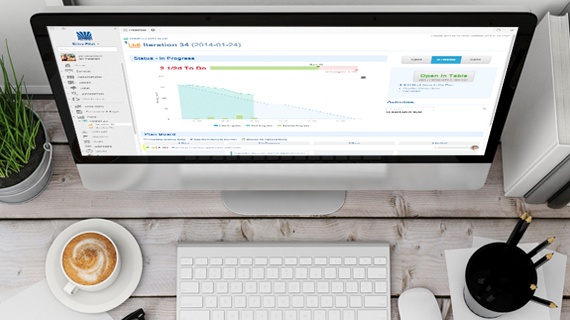
Live Reporting and Dashboards
Real time visibility into the status of your release

Audits & Qualitative Metrics
Manage risk better by catching problems earlier in the lifecycle

Resource & Project Planning
Spot potential bottlenecks
before they occur

Extensibility
Free, open APIs let you build your own apps and extensions

Compliance
Attain compliance with a wide spectrum of industry standards

Text, Drawings, Diagrams
Express requirements as text, as drawings/diagrams, or both
Traceability, Versioning, and Audit Trails
Understand the "Who, What, When and Why" of any changes
How do you bring sanity and accountability to the process of gathering, vetting, and implementing the inevitable change requests that happen during every project?
Change Control and Impact Analysis are a vital part of the Requirements Management Process.
Visual Impact Analysis
- Pass any compliance audit easily
- Determine the potential impact changes may have on other requirements, release timelines, resource allocations, etc.
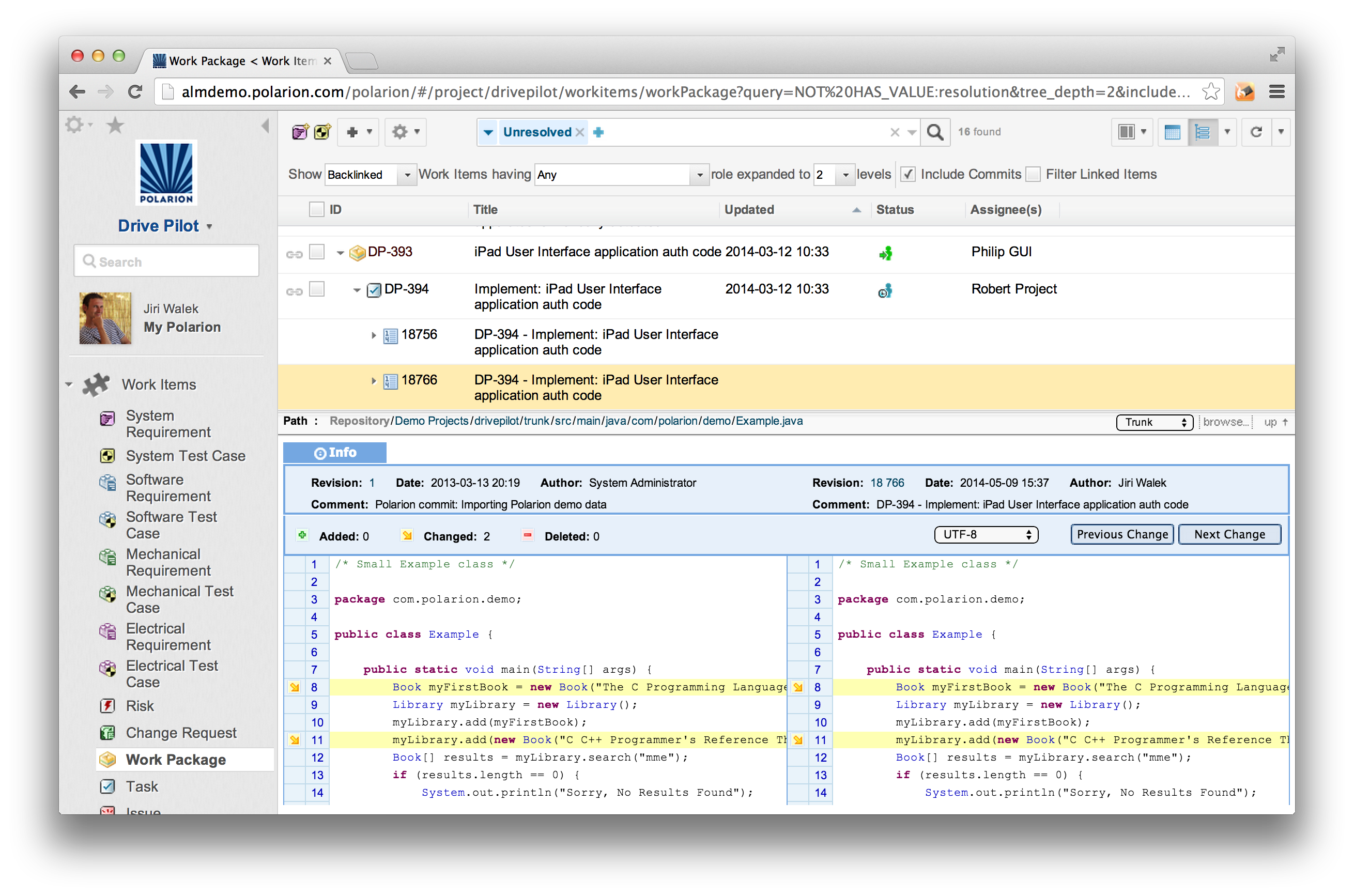
- "Visual Diff": You can visually compare the old documents with the new versions and see the changes highlighted
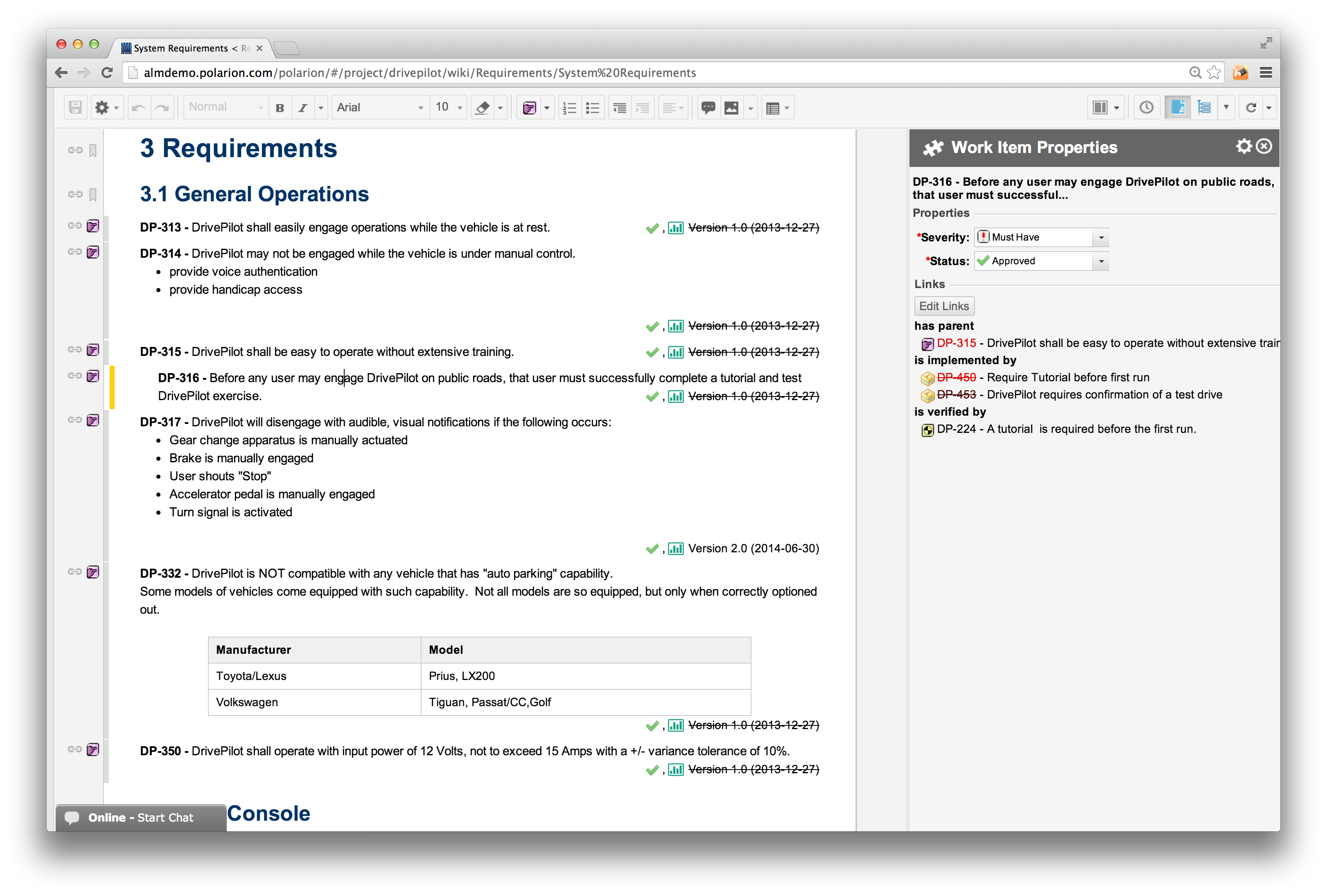
- Linking - Ability to link one to many or many to one and do so across projects
- Time Machine - Browse, search and report any historical state of your project.
Visual Diff
Customize Traceability Reports using Wiki
Traceability down to the source code revision

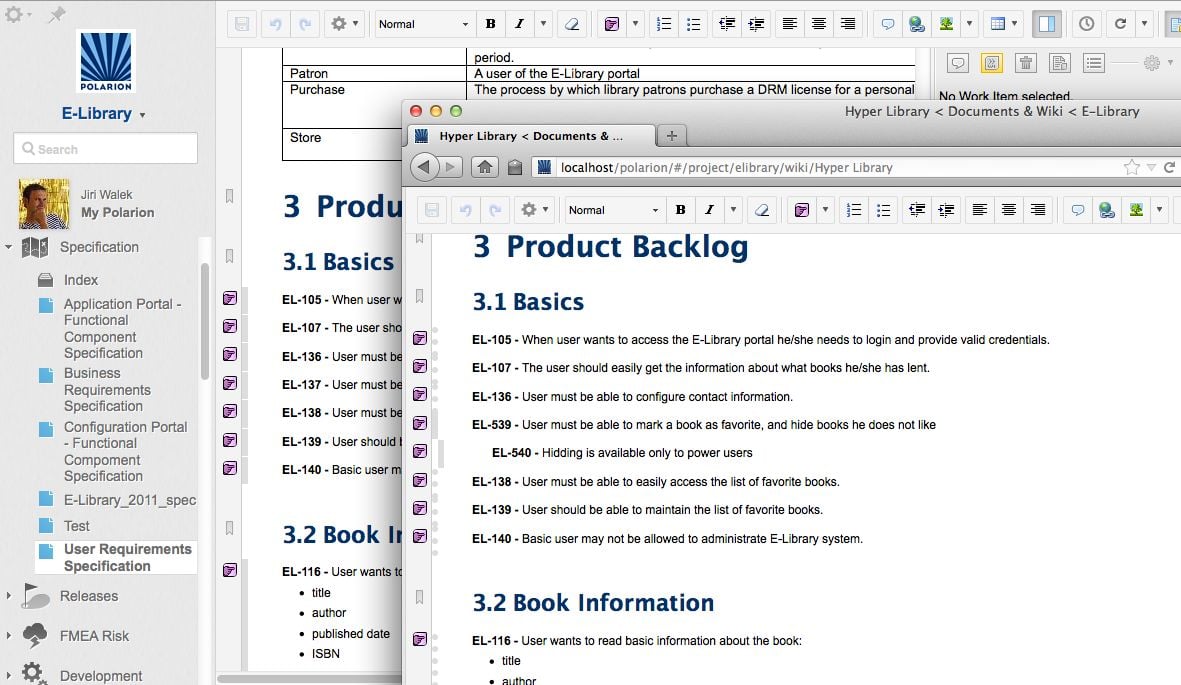
Online Authoring with “LiveDocs”™
Leverage your existing Micrososft Office documents
Import Word Documents
Edit Documents online
Export and re-import changes
The Usability of Word without any of the limitiations
The Polarion Import Wizard easily recognizes and imports Microsoft Word and Excel documents that contain requirements, test cases, defects, etc. to a modern, web-based management platform.
- Imported documents look and edit exactly like the source documents
- Preview before import prevents time consuming errors
- Create professional looking documents for export.
- Supports PDF, MS Word, Excel, XML, HTML
- Document "RoundTrip"™ - Changes made outside of Polarion can be imported back seamlessly while keeping your original formatting.

Support any workflow or methodology
Flexible, Adaptable, Customizable Support for the way you build your software and systems
Don't adapt to your software,
Make your software
adapt to you
- Supports Agile/Lean, Traditional, Hybrid, or custom environments
- FDD, XP, Scrum, RUP, Kanban, etc.
- Attain compliance with a wide spectrum of industry standards like FDA, FAA, CMMI, ISO, IEC, CPI, SPICE, and many more.
- Customizable Workflow Support - covers all the artifacts from requirements
Support any Workflow
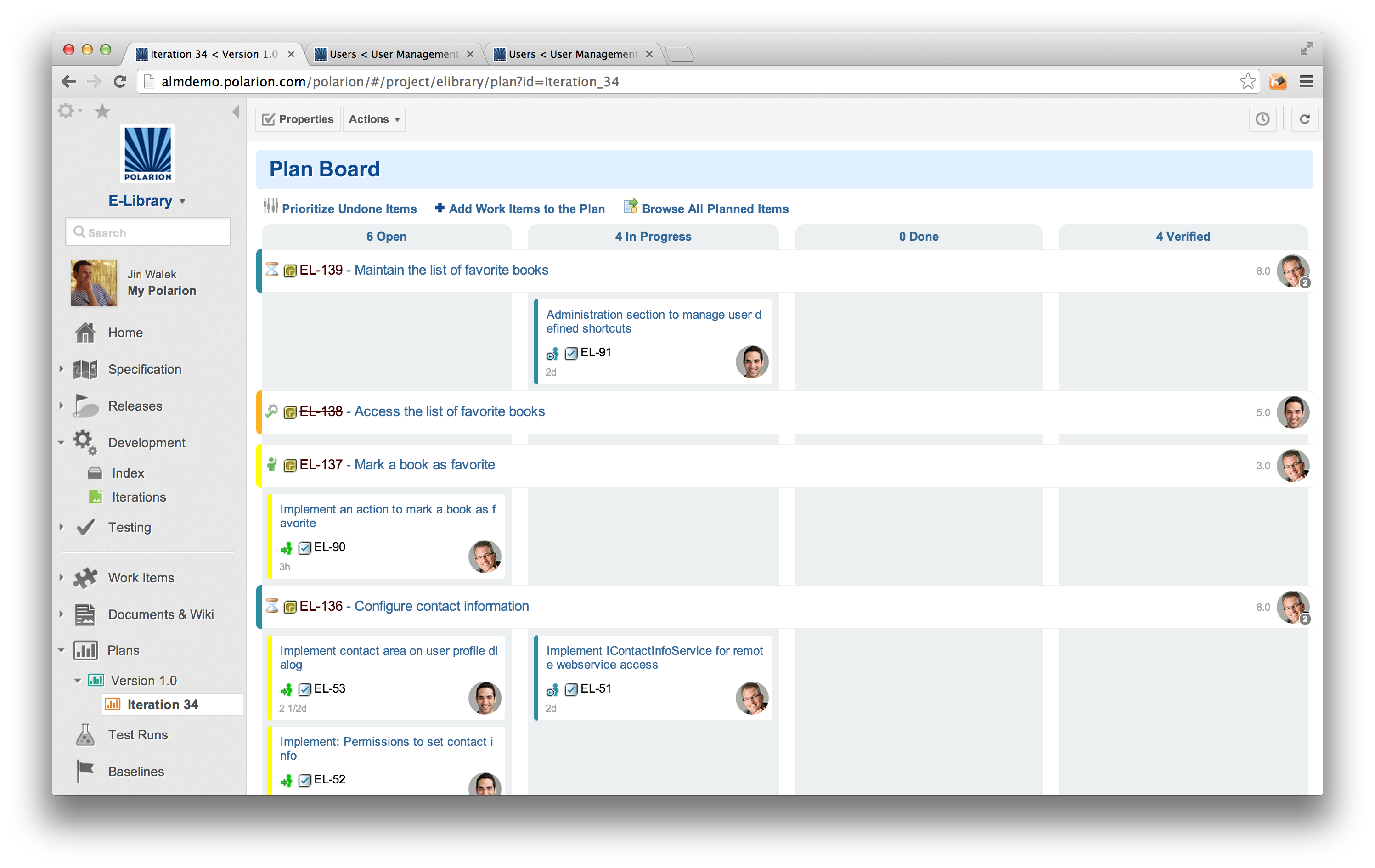
Sprint Board drives the SCRUM sprint
Bulk perform workflow transition
Do you SCRUM? So do we!
Polarion´s R&D team loves the tool they use to manage Polarion development. One would hope so, because they make it! After several years of refinement and proven success "in the trenches", our own SCRUM-based "ALM Project" Template... the same one our R&D team uses for Polarion development... is bundled with Polarion ALM. The configuration has been fine-tuned in our own labs by Polarion SCRUM masters, and includes predefined Status Dashboard, Sprint Board with burn-down chart, Task Board, workflows for the user story review process, and much more. It´s "out-of-box" ready for your SCRUM projects, or you can tweak it to make our SCRUM-based process fit yours.

Collaboration
Improve communication between Development, Operations and Quality Assurance.
DevOps oriented processes and methods help you increase collaboration, reduce production risks, and release your products or services in a more timely manner.
Sharing information, plans and requirements amongst the team helps them to respond faster to frequent changes. Sharing tools makes it possible to automate
repeated cross-team tasks and reduces deployment errors.
Comments and Discussion online and offline
Email notifications on selected events
Electronic Signatures
Real Time Collaboration
Across Tools and Teams
- Subscriptions let you select events you want to monitor and be notified of any changes
- Enter and browse document comments from within Word documents or from online collaborators
- "My Polarion" dashboard pushes the information to user, so user does not need to search what is important.
- Read and sign documents electronically
- All aspects of collaboration such as discussion threads are recorded so you can trace how you came to various decisions


Test Management
Specify, Manage, and Execute Test Cases on a Single Platform
One Testing Solution
for the Entire Team
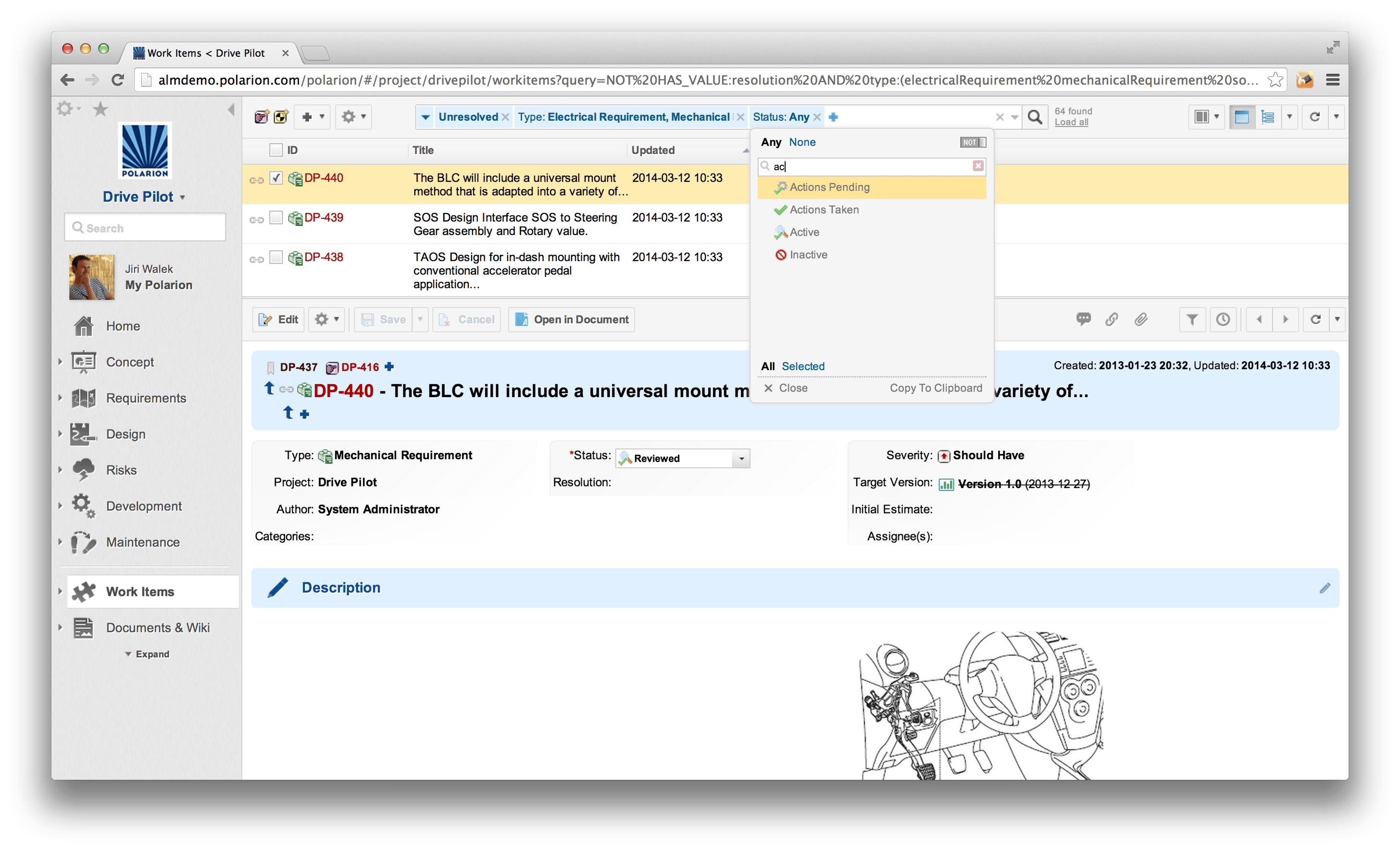
- Create test cases & easily link them to their corresponding work items such as requirements, change requests, other test cases, etc.
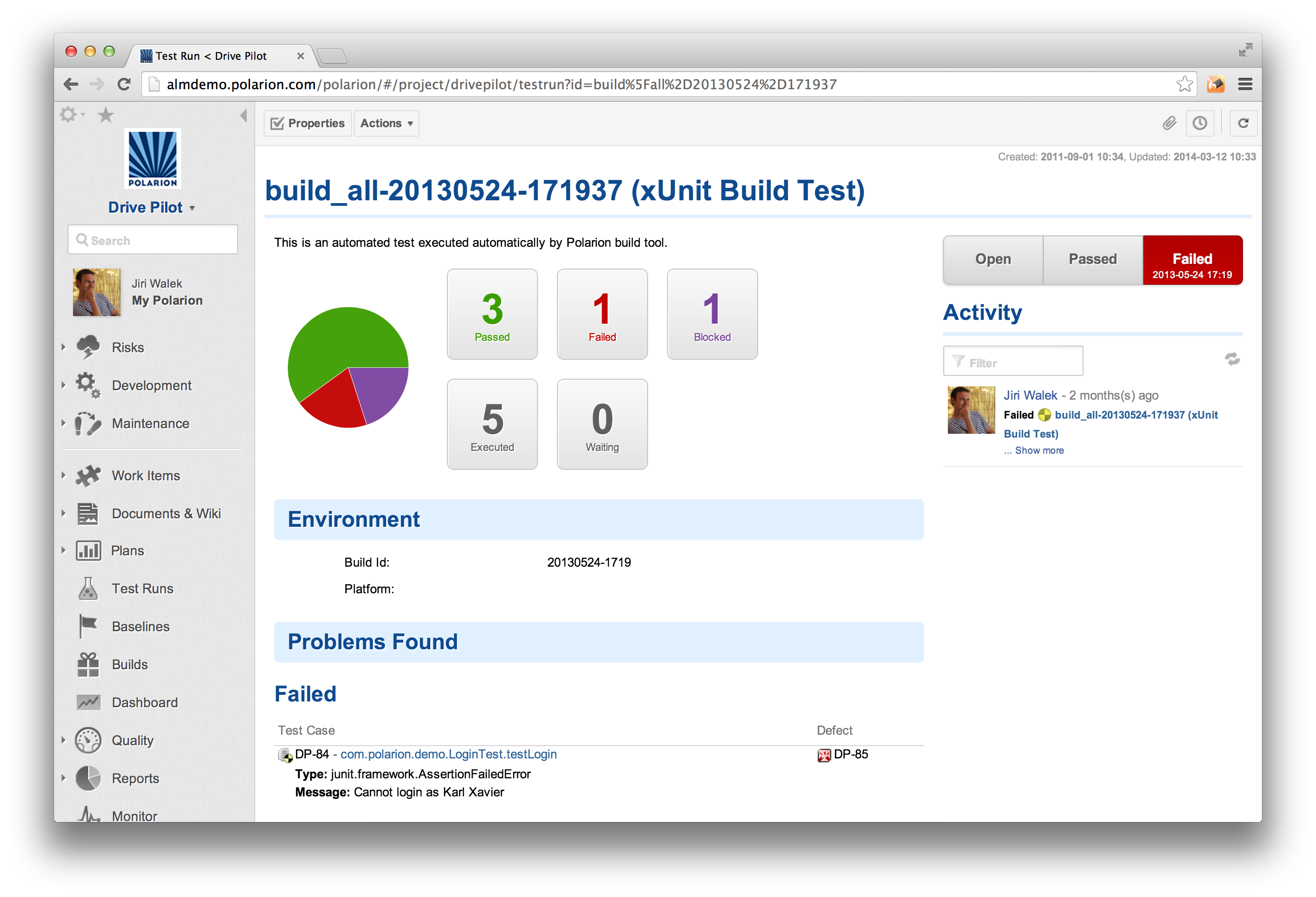
- Automatically create bug reports and tasks for developers based on test failures
- Workflow triggers automatic test script runs & reports results
- Import test cases from wide variety of 3rd party apps including Excel
- Manage test cases from any browser enabled device
- Bi-directional synchronization of test cases between MS Excel and Polarion ALM
- Automated Test Case is a "first-class citizen": integrate with 3rd party test automation tools via Open API, auto-run via Builds, import-ready for any test results in xUnit file format.
Specify, Manage, and Execute Test Cases
Test Specification document
Automatically created bug report

Reuse
Avoid risk of un-synced changes when requirements are copy-pasted across your project.
Live Branch of Requirements Specification
Branch Document with single click
Derived Documents for Regulatory Specifications
- Document Reuse for efficient sharing of regulatory requirements across your projects
- Live-Branches for managing variants of your requirements specification document
- Granular changes propagate instantly or on-demand
- Save time on managing isolated copies of your documents - no copy/paste on every change of your common specification

Risk Management
Identify all possible failures (as risk items), and plan tasks to mitigate the potential risk
FMEA Work Sheet
Risk Specification Document
- Built-in preconfigured project templates (fully customizable) will save you time when creating risk assessment for new projects
- Ensure your regulatory requirements are verified
- Real time analytics for assessment of failure modes including support for FMEA worksheets
- Reduce risk of critical bugs being untested before release into the field
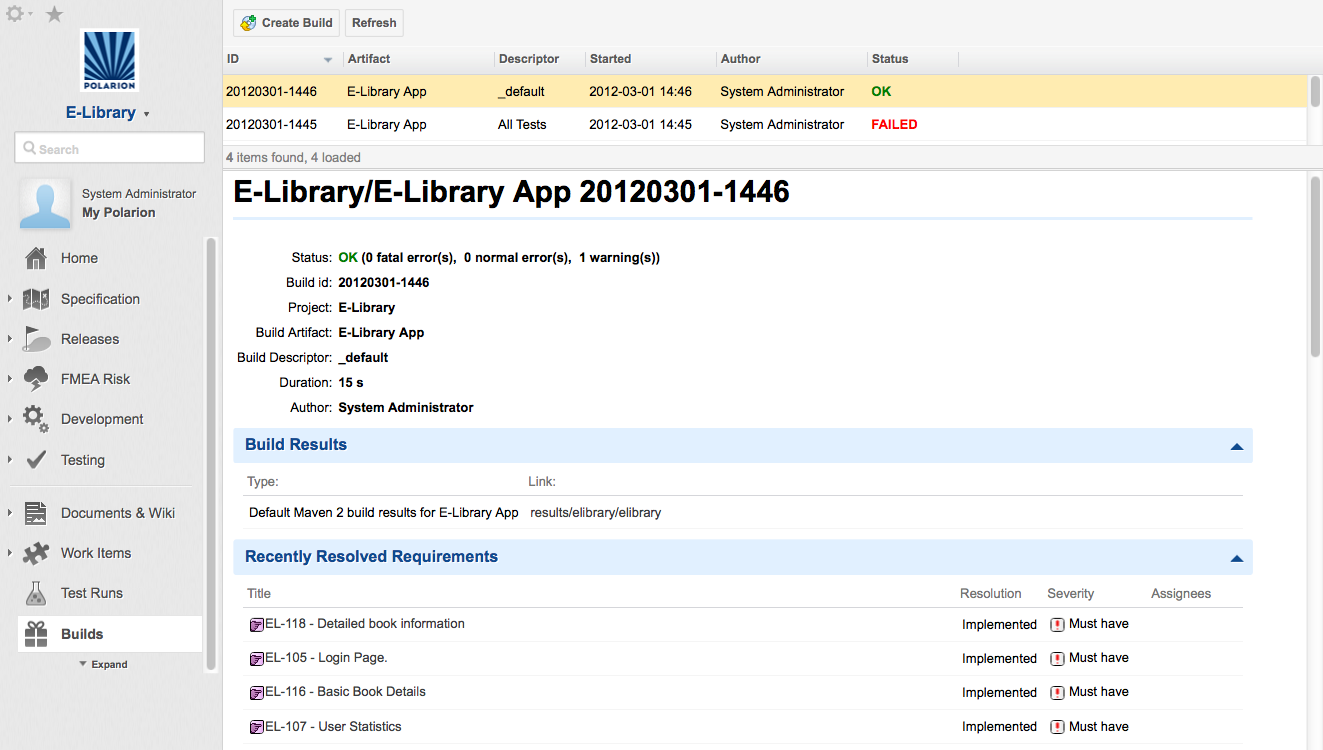
Automated Build Management
Integration with leading tools such as Hudson, Ant & Maven
Create new Build on demand or as scheduled job
Build notification speedup recovery process
Changelog
Improve Product Quality with Continuous Integration
- Email notifications on build or test failures help speed up compile and error recovery processes
- Quickly track down issues with complete Audit trails of builds and releases
- Measure re-use of requirements, test cases, and other artifacts across projects
Live Reporting and Dashboards
Real time visibility into the status of your release
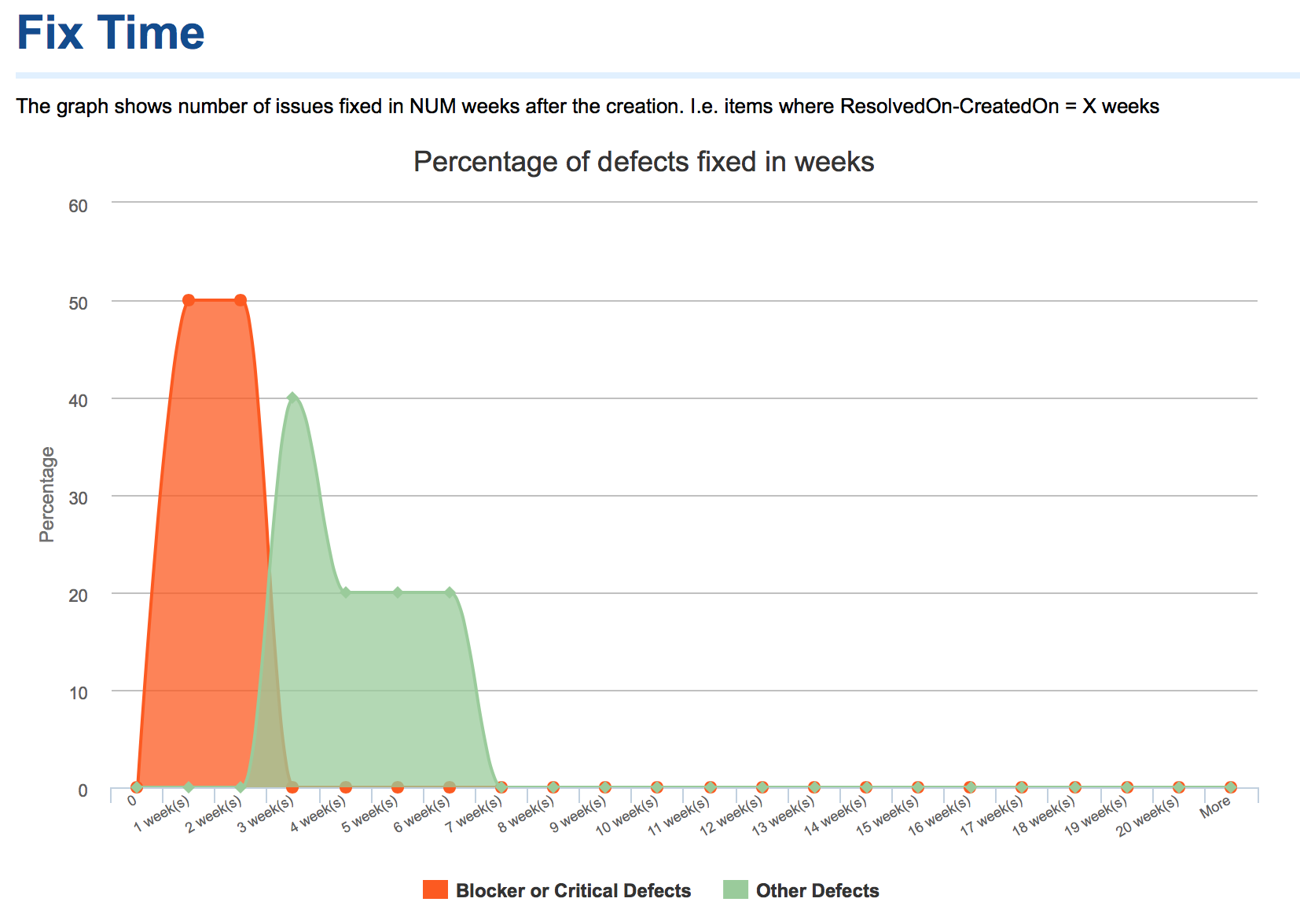
Visual Metrics Enable Continuous Improvement
- Any stakeholder can review the real time project status online
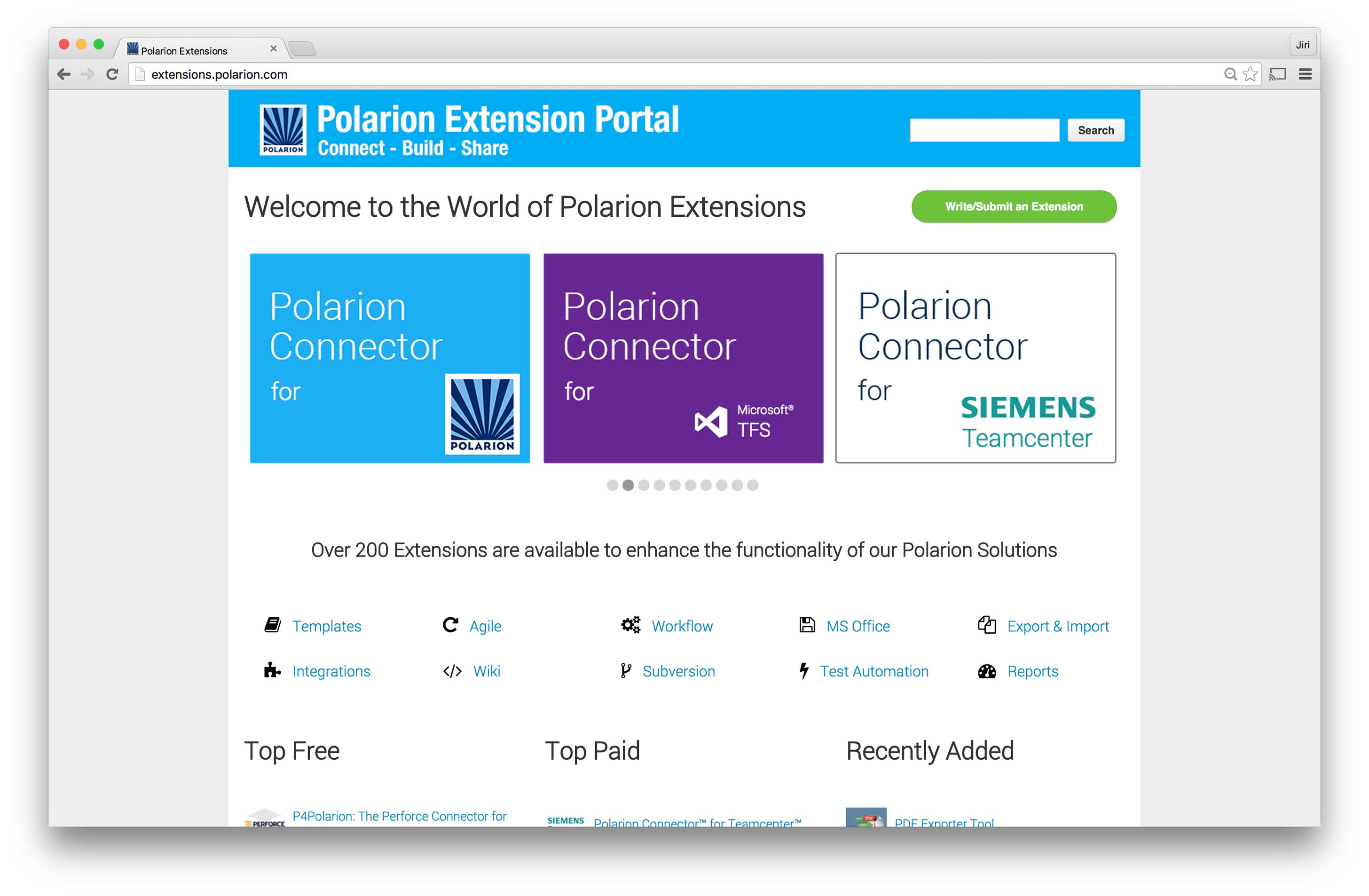
- Easily create your own reports or use any of the reporting extensions available on the Polarion Extensions Portal (POP)
- Run reports across multiple projects to help coordinate activities amongst different teams
Cross-project reporting
Burn-down chart for release cycle
Project Dashboard

Audits & Qualitative Metrics
Real time visibility into the status of your release
- Manage risk better by catching problems earlier in the lifecycle
- Assess the performance of your project im real time: live, always up-to-date fully configurable to your needs
- Ensure your code meets metrics for security, reliability & maintainability with status source code analysis
- Process analysis reports generate recommendations to improve your process maturity
Metrics, Statistics and KPIs
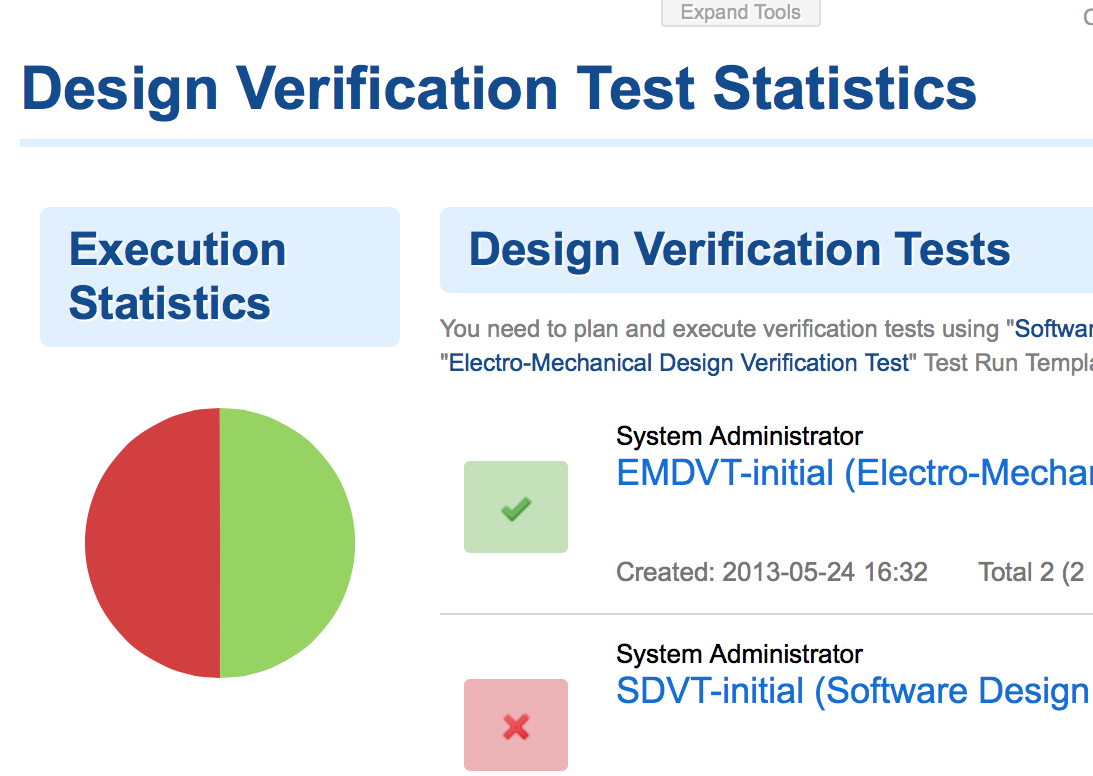
Test Coverage report
Static source code analysis

Automated Resource & Project Planning
See bottlenecks before committing to schedules
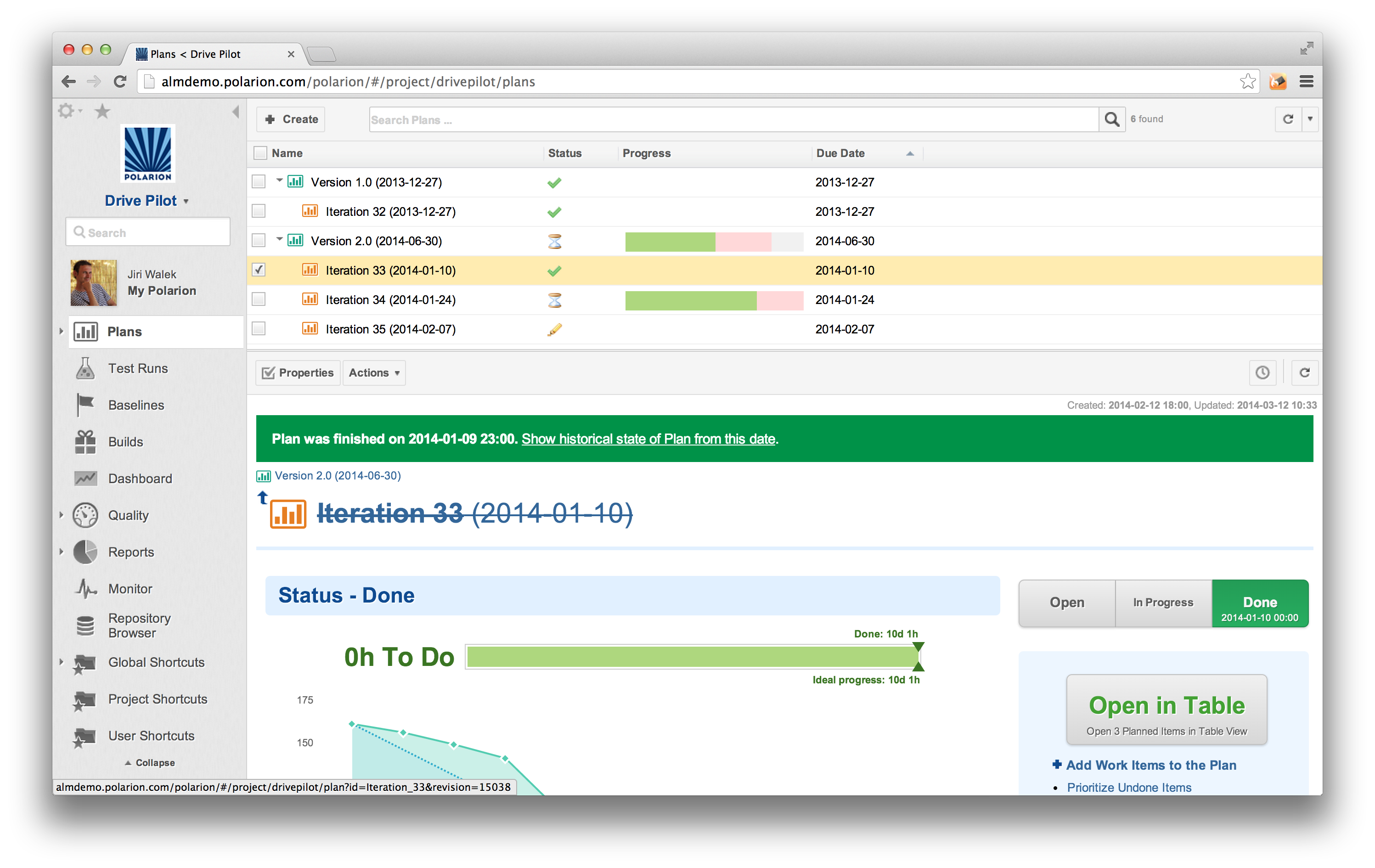
Live Dashboards and a "LivePlan" enable you to quickly get a handle on project status and progress, reveal dependencies and over- or under-utilized resources
in real time as team members complete assigned tasks.
LivePlan shows the actual workload across the projects
Log time spent and export the work report for a user, team or project
Plan your milestones
Predict & fix problems
before they occur
- Assign tasks to milestones and estimate time needed to complete and then watch the plan appear.
- Simple, straightforward time tracking - People log actual time spent on tasks as the close them
- Managers know exactly where projects stand based on real task completion data. Manage your resources, not a planning tool.
- If your team works on multiple projects just drill up and review the organization wide cross project plan

Connectors and Extensibility
Out of the box integrations with popular tools.
Free, open APIs let you build your own apps and extensions
Polarion ALM manages all phases of the application lifecycle but our customers need integrations: to make a smooth start, to connect external teams
- Polarion’s HP QC Connector - Seamless integration with HP Quality Center used for test management
- Polarion’s Jira Connector -Seamless integration with Atlassian JIRA used for defect tracking and Agile project management
- Custom Connectors - Built on open standards, Polarion Professional Services can build you custom integrations with other complimentary 3rd-party solutions
- Java Open API and Web Services API - Leverage the Polarion API and build your own extension/integration that works with Polarion
- Leverage the skills of the entire Polarion Community: 10.000 members, 150 extensions
Polarion Popular Extensions - Polarion POP
All kinds of extensions - e.g. Polarion integration with Eclipse IDE
Fully documented API

Compliance
Attain compliance with a wide spectrum of industry standards
Combined innovative Application Lifecycle management technologies with the thorough knowledge of many industry standards: CMMI, SOX, FDA, SPICE, and more.
Polarion MedPack cover full
CMMI self assessment
Electronic signatures
Multiple industries,
Multiple standards,
Multiple regulations...
One Solution
- Qualified as a trusted tool for ISO 26262/IEC 61508,
- Project templates for fast implementation
- Based on actual data, per project, or across the enterprise
- Better accuracy, less guesswork about state of compliance
Text, Drawings, Diagrams
Express requirements as text, as drawings/diagrams, or both
UML - Flowcharting
Extensive Digram Editor
Diagrams integrated into LiveDoc
- Create almost any kind of diagram right in your browser
- Embed diagrams in LiveDoc text and/or Work Items
- Robust library of diagram elements
- UML - Flowcharting - BPMN and more
- Extensive menu of element formatting options
- >Diagrams export with LiveDocs to Word and PDF Documents.